
In the Narravero Merch Company example, a Digital Product Passport (DPP) has already been created, along with two Tracer Templates, one for the Coloring Stage of the hoodies and another for the Tailoring Stage.
This section explains how to use these Tracer Templates during the production process.
Prepare the Tracer App
Before starting, all production workers who will use the Tracer App need to download the app and log in with their Narravero credentials.
Access the Production Stages
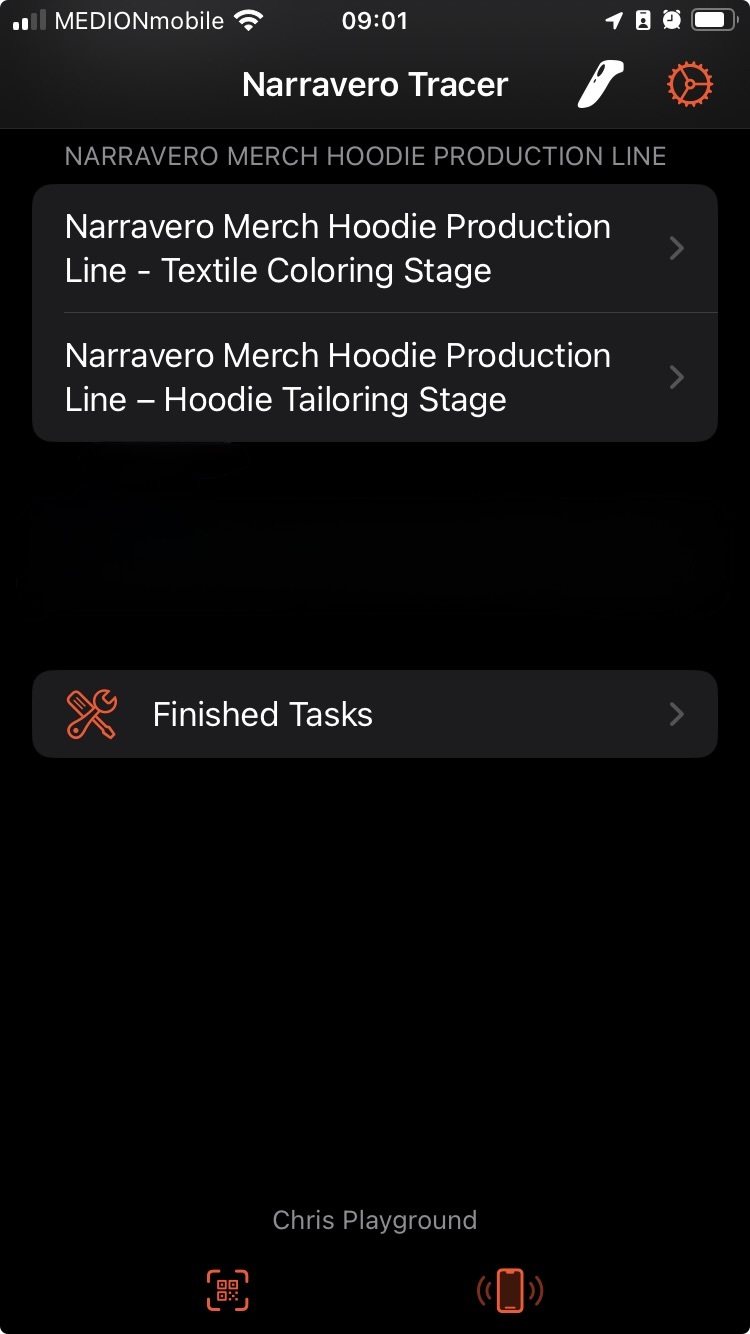
Once logged in, workers will see the Tracer App interface, which displays the different steps of the production process defined in the Tracer Templates.
The following views are available:
- Textile Coloring Stage – for documenting and tracking all coloring-related tasks.
- Hoodie Tailoring Stage – for recording activities during the tailoring phase.
- Finished Tasks – a summary view showing all completed Tracer activities for easy review and traceability.
This setup ensures that each stage of the production process is clearly structured and traceable within the Narravero system, making it easier to monitor progress, maintain quality, and ensure full transparency from start to finish.
🧵 Step 1: Textile Coloring Stage
A worker in the Textile Coloring Stage has just finished coloring a new hoodie. The next step is to document this activity in the Narravero Tracer App.
- The worker opens the Tracer App on their device.
- They select the stage “Textile Coloring Stage.”
- The worker enters the production details for the hoodie:
- Size: L
- Color: Black
- Production Number: 45781420
- Once all information is entered, the worker clicks Submit to complete the task.
This data is now recorded and automatically linked to the corresponding hoodie in the Narravero System, ensuring that every step of production is traceable and transparent.
✂️ Step 2: Hoodie Tailoring Stage
When the hoodie reaches the tailoring stage, the tailor follows a similar process:
- Open the Tracer App and select Hoodie Tailoring Stage.
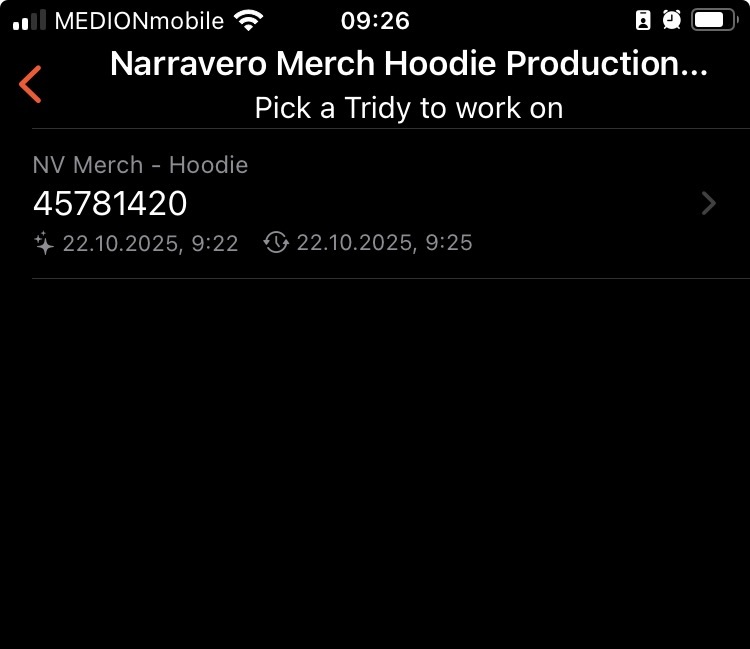
- Only hoodies that have completed the previous stage will appear.
- Only hoodies that have completed the previous stage will appear.
- Each Tracer Template uses the Production Number as the Title Key, making it easy to identify which hoodie to work on.
- In this example, the tailor selects the hoodie with Production Number 45781420.
- In this example, the tailor selects the hoodie with Production Number 45781420.
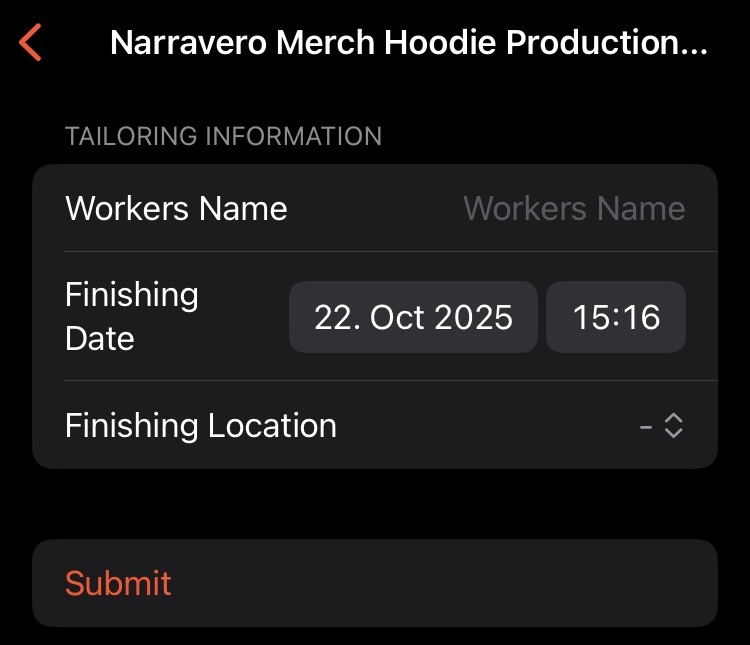
- The interface allows the tailor to enter additional details:
- Worker Name – who is completing the task
- Location – where the tailoring is taking place
- Finishing Date – can be adjusted if different from the suggested date
- Click Submit to mark the task as complete.
By following these steps, each stage of production is clearly documented, ensuring full traceability and accurate data tracking throughout the entire process.